Garage Golf Simulator: Space, Gear and Setup Guide
By Garage Hobbies TeamLast updated: October 2026
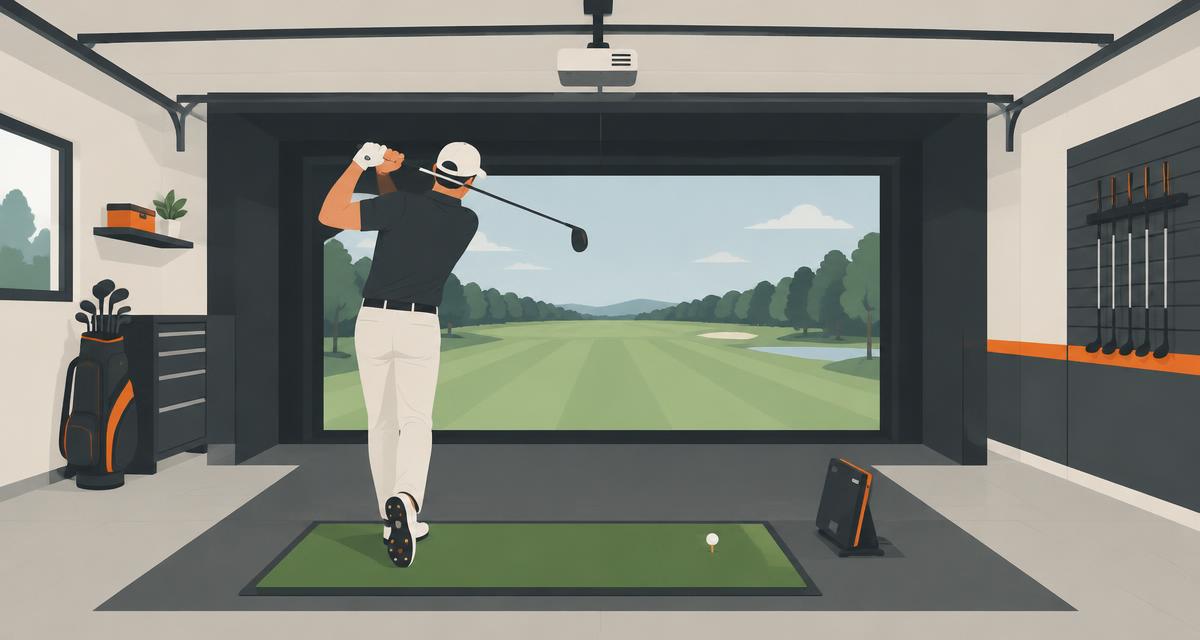
A garage golf simulator needs four things: enough room to swing, a launch monitor, a screen or net and a hitting mat. A projector turns it into a full sim.
Space comes first. Swing your longest club in the garage before you buy anything.
| Setup | Cost level | What you get | Needs projector? | Car can share bay? |
|---|---|---|---|---|
| Net and mat | Low | Practice swings and contact | No | Yes, easy |
| Net, mat and launch monitor | Medium | Ball data on a phone or tablet | No | Yes |
| Screen, mat, monitor and projector | High | Full course play | Yes | With a retractable screen |
| Full enclosure build | High | Finished sim room | Yes | Usually no |
Ceiling height, width and depth
Space is the make or break factor. There is no single rule that fits every golfer, because height and swing vary.
Do this test: stand where you would hit and take a slow full swing with your driver. Then do a few more at normal speed. Watch the ceiling, the walls and the door track.
Ceiling height
Taller is better. Taller golfers and upright swings need more height. Watch for lights, the opener and the door track overhead.
Width
Wider is better. Extra width lets you stand in the center and gives lefties and righties room to share.
Depth
You need room behind you, space to the screen and space for the launch monitor. Check your launch monitor maker's space guide for depth and placement.
Launch monitor types
A launch monitor reads the ball and club and sends data to the software. Most fall into two groups.
Radar
Radar units track the ball in flight. Many sit behind the golfer and need more depth to read the ball.
Camera
Camera units take fast images near the ball. Many sit beside the ball or overhead, which can suit shorter rooms.
Check what software each unit works with and whether it needs a subscription.
Screen vs net
A net catches the ball and is the low cost way to start. Pair it with a launch monitor and a tablet to see your data.
An impact screen lets you project the course and hit right into it. It feels like a real sim. Most sit inside a frame or enclosure with side netting.
Tip: hang a backstop behind the screen to protect the wall.
Hitting mat
A good mat protects your joints and gives a real feel. Cheap mats can be hard and jarring on fat shots.
Look for a mat that lets you tee the ball and has a stance area. Lay it on a flat, solid floor.
Projector
A short throw projector sits close to the screen, so your shadow is less likely to block the image. Mount it high and out of the swing path.
Pick a projector that fills your screen shape. Keep it away from where balls can bounce.
Garage door and lighting issues
The garage door track and opener often limit swing height. Some people move the opener or use a side mount opener. Use a pro for door changes.
Bright ceiling lights can wash out the projector. Turn them off while you play and use dim side lights. Some camera monitors need steady light, so check the guide. See garage lighting ideas.
Climate and storing gear
Projectors, monitors and computers do not like heat, cold or damp. Insulate the garage and add heating or cooling. Read how to heat a garage.
Store electronics inside the house in extreme weather if your garage is not climate controlled. Cover the screen to keep dust off.
Budget options
Low
A net, a mat and a few foam balls for swing practice.
Medium
Add a launch monitor and use a phone or tablet for data and simple practice games.
High
Add an impact screen, an enclosure, a projector, a computer and full course software.
Sharing the bay with a car
You can keep parking if you plan for it. Use a retractable screen that rolls up toward the ceiling. Pick a mat you can roll or slide aside.
Mount the projector and launch monitor out of the way, or store the monitor in a bin. Leave a clear path for the car.
See more upgrades in cool garage ideas or browse all garage hobbies.
Frequently asked questions
How much space do I need for a garage golf simulator?
It depends on your height and swing. Test a full swing with your driver in the space and check your launch monitor maker's space guide. Taller and wider is better.
Can I put a golf simulator in a one-car garage?
Often, yes, if your swing clears the ceiling and walls. A camera launch monitor and a retractable screen can help in tighter spaces.
Do I need a projector for a golf simulator?
No. You can start with a net and a launch monitor that shows data on a tablet. A projector and screen give the full course feel.
Can I still park my car with a golf simulator?
Yes, with a retractable screen, a movable mat and gear mounted out of the way.
What is the difference between radar and camera launch monitors?
Radar units track the ball in flight and often sit behind you. Camera units capture the ball near impact and often sit beside the ball or overhead.
Related guides
- Cool Garage Ideas to Upgrade Your SpaceFloors, lighting, golf sims, offices, bars and ideas for car guys.
- Garage Lighting Ideas for a Brighter, Better SpaceShop lights, hex grids, task lights and how to plan light by zone.
- How to Heat a Garage for Year-Round HobbiesInsulate first, then compare heaters, mini splits and cooling options.
- Garage Hobbies: 25 Ideas25 things you can do in your garage.